
Sora2 AI video prompt structure: subject, action, camera
Published on October 20, 2026 Updated October 20, 2026 7 min read
Lock a five-part Sora2 AI video prompt: subject, action, scene, camera move, and duration. Copy the template into the workspace and test.
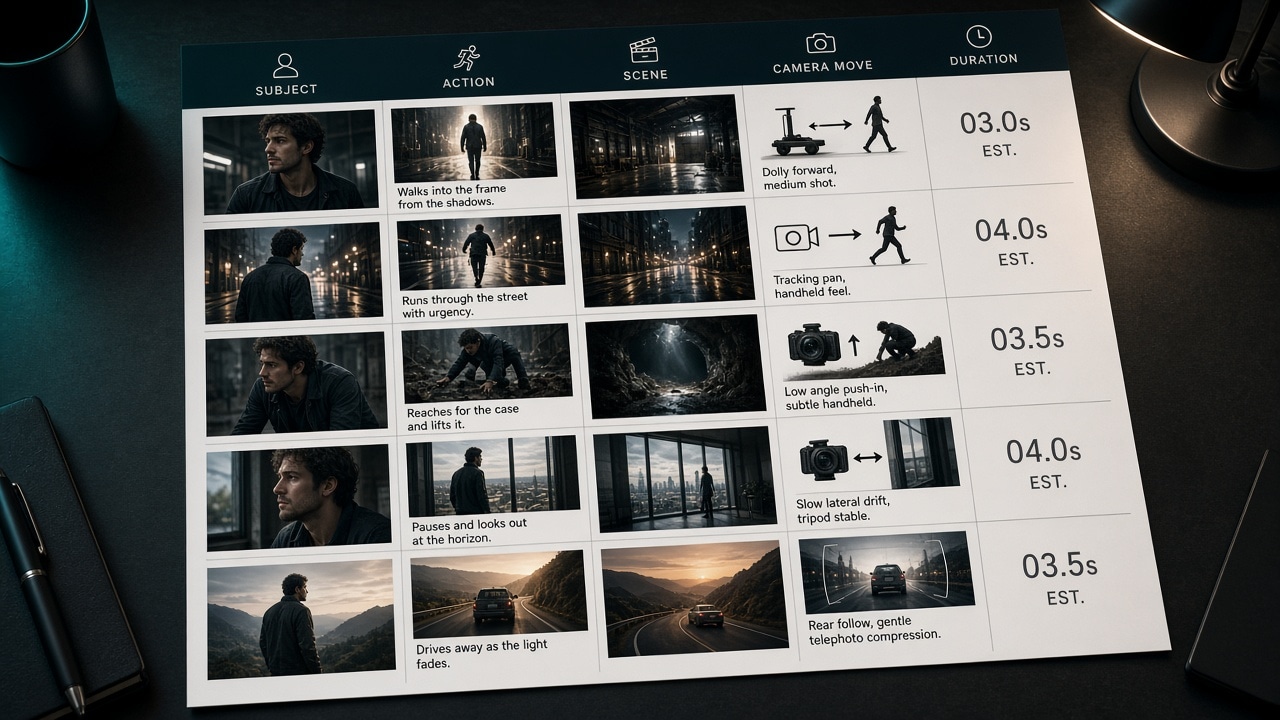
Stable short clips start with a clear Sora2 AI video prompt structure: who, doing what, where, how the camera moves, and how long the clip should run. When that skeleton is solid, you can change camera or models without rewriting everything.
The five parts
Write in order—fill gaps instead of burying facts under style adjectives:
- Subject — person, product, or scene hero (key look).
- Action — what is happening, with verbs.
- Scene — place, time, main light.
- Camera — push, pull, pan, follow, or locked; one primary move.
- Duration use — e.g. 5–8s vertical social, or 10s horizontal product demo.
red ceramic teapot on marble counter, steam rising slowly,
soft side window light, slow push-in, cinematic 16:9, 8 seconds
Common failure: style words hide the action
Stacks of “cinematic, 8K, masterpiece” without a clear verb force the model to guess motion. Strip back to the five facts, generate once, then add one or two style lines. For camera detail, continue with camera moves and duration.
Verify in the workspace
- Open the creation workspace.
- Pick a video model (Sora 2 or Seedance).
- Paste the five-part prompt; lock aspect ratio and duration.
- Change only one issue per retry—action line vs camera line.
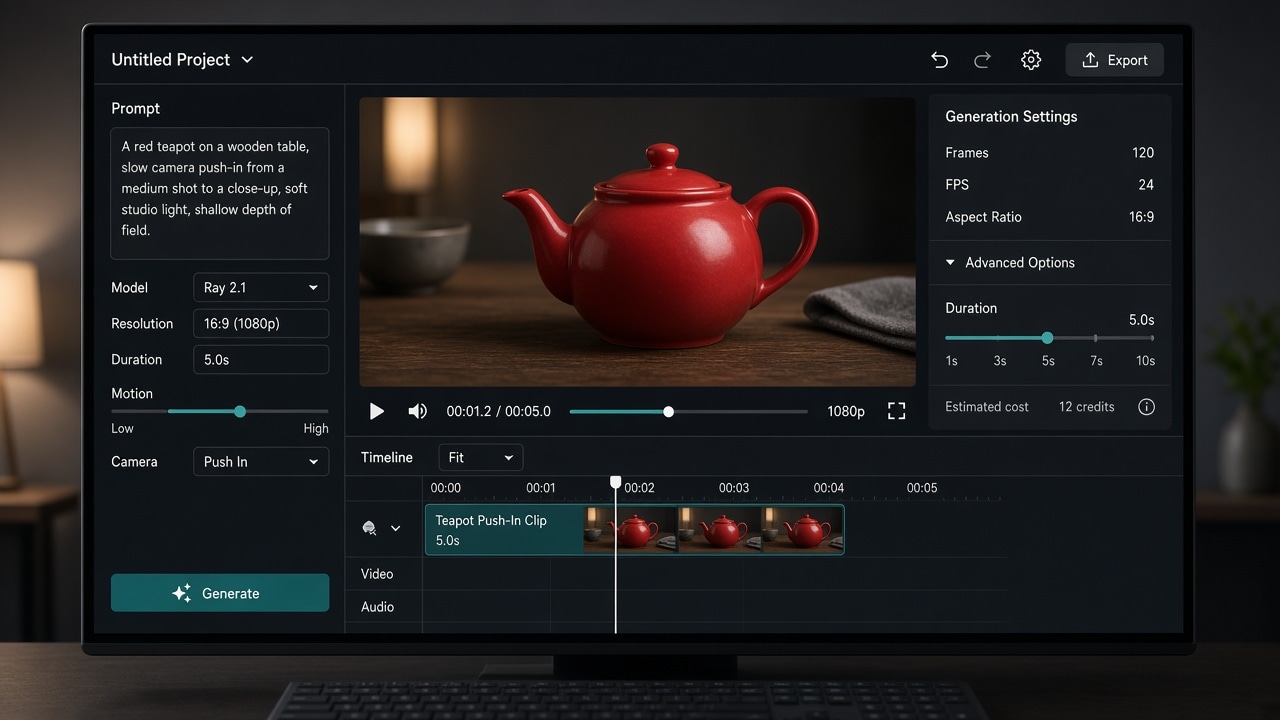
For text vs image input modes, read text-to-video or image-to-video. For cross-shot faces or packaging, read reference-frame consistency. Also see the tutorial and prompt library.
Takeaway
Five complete parts beat a pile of adjectives. With structure in place, camera craft and the commercial checklist b
FAQ
Do video prompts have to be in English?
No. Clear subject and plot in any language can work; English camera and lighting lines are often more stable. Completeness of the five parts matters more than language.
How long should a first draft be?
Cover subject, action, scene, one camera move, and a duration use-case in one to three sentences. Add style words only after the shot reads clearly.
How do the five parts pair with text vs image-to-video?
For text-to-video fill all five. For image-to-video, de-emphasize looks and spend words on action and camera. Mode choice: see “Text-to-video or image-to-video?”
Where should style words go?
After the shot reads clearly—usually after scene or camera. Leading with style often buries the verb and the clip drifts.
How do I validate a prompt?
Lock aspect and duration, generate, then change one class of issue per retry. Switch to a first-frame still when appearance must hold.
Share
Related posts
Sora2 AI camera moves and duration: one lens, locked length
Control Sora2 AI camera moves and duration: one primary move per take, match seconds in params and prompt. Push, pan, follow examples included.
WorkflowSeedance vs Wan vs Kling: pick by the job
Choose Seedance, Wan, or Kling by job: long takes and start/end frames, multimodal references, or short social clips. Decide the task first, then open the model page—fewer wasted regenerations.
WorkflowText-to-video or image-to-video? Pick the input mode once
Choose text-to-video vs image-to-video by whether you have a locked still, need face or pack consistency, then map text-only, first frame, first+last, and multimodal reference.